

Too heavy
Kubernetes, service mesh, operators, CRDs. Layers of abstraction to ship three containers on a 4 GB VPS. You end up maintaining the platform instead of the product.
Being forged — launching soon
Fornalha turns your servers into a platform: guided setup, deploys with health checks, managed databases and continuous monitoring — on the hosts you already pay for, with zero cloud lock-in.
git push → build → deploy → health check. All of it auditable.
// AI agents
100+tools exposed over MCP
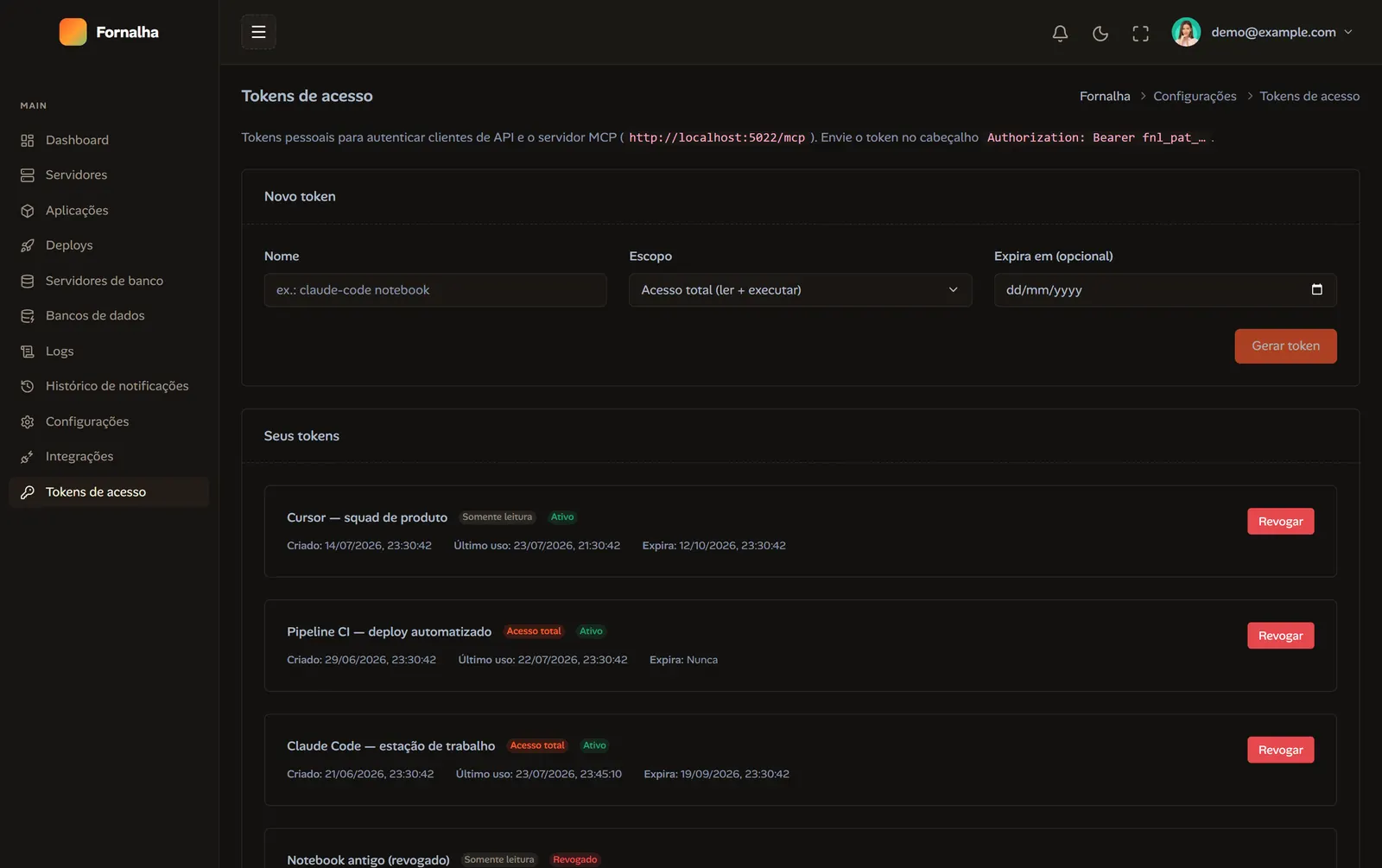
Fornalha ships a native MCP (Model Context Protocol) server: connect Claude, Codex or any compatible client and operate by conversation — deploys, database provisioning, logs, firewall and monitoring become tools the agent calls for you.
Authenticated by scoped personal access token. You decide what the agent can touch — and revoke it in one click.
// the problem
To ship an app today you either run everything by hand or hand your infrastructure to someone else's cloud. Both charge a lot — one in hours, the other on the invoice.
Kubernetes, service mesh, operators, CRDs. Layers of abstraction to ship three containers on a 4 GB VPS. You end up maintaining the platform instead of the product.
Opaque agents, broad permissions, scripts nobody read. You don't know what ran on your host, or why — and there's no log for that step.
Build minutes, egress, proprietary runtimes, a deploy format that only works in there. Leaving costs a rewrite — which is exactly why the price keeps climbing.
// the promise
No cloud lock-in, on the hosts you already pay for. Setup, deploy, databases and monitoring in one operational context — with persisted history and every step auditable.
// the product
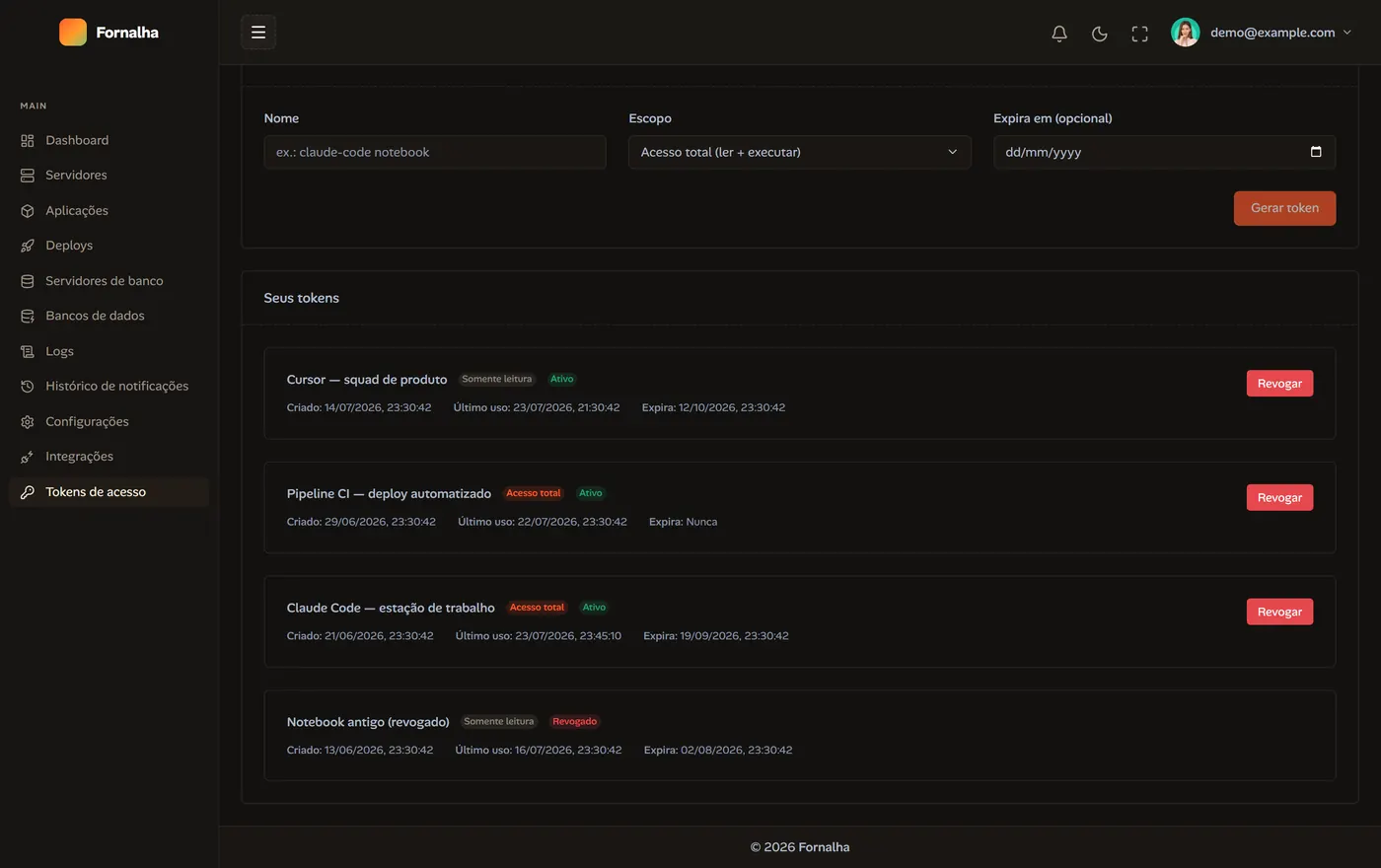
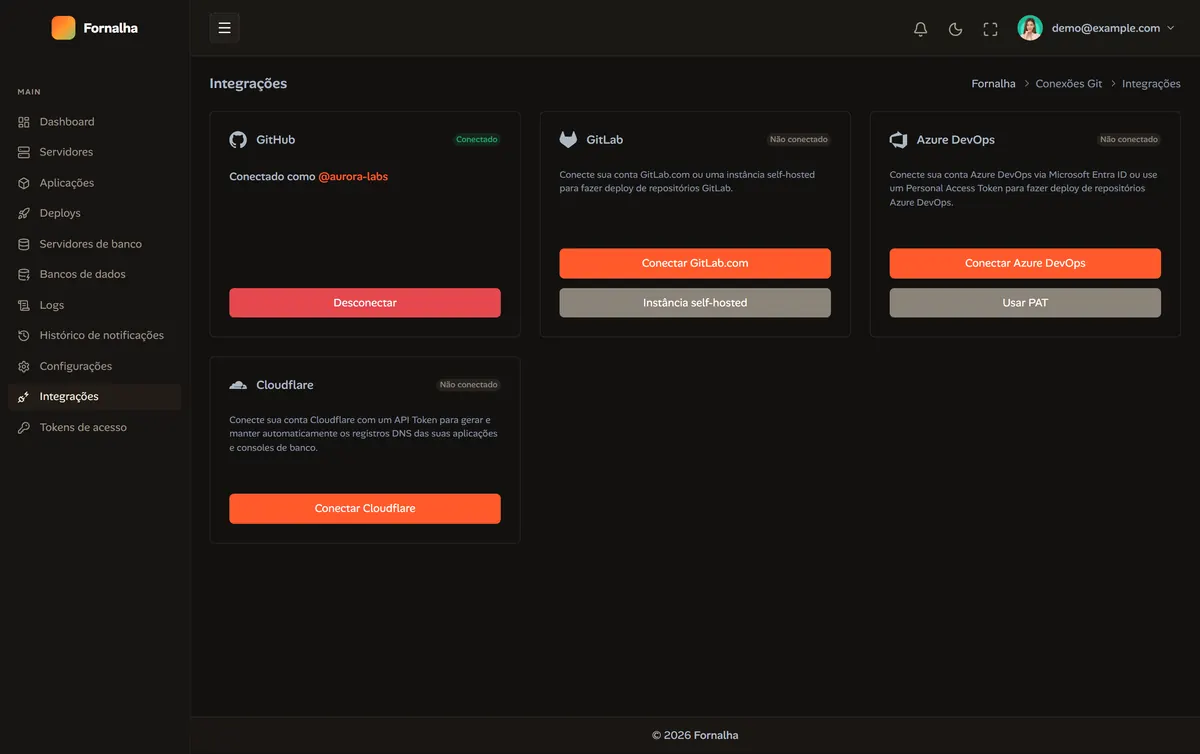
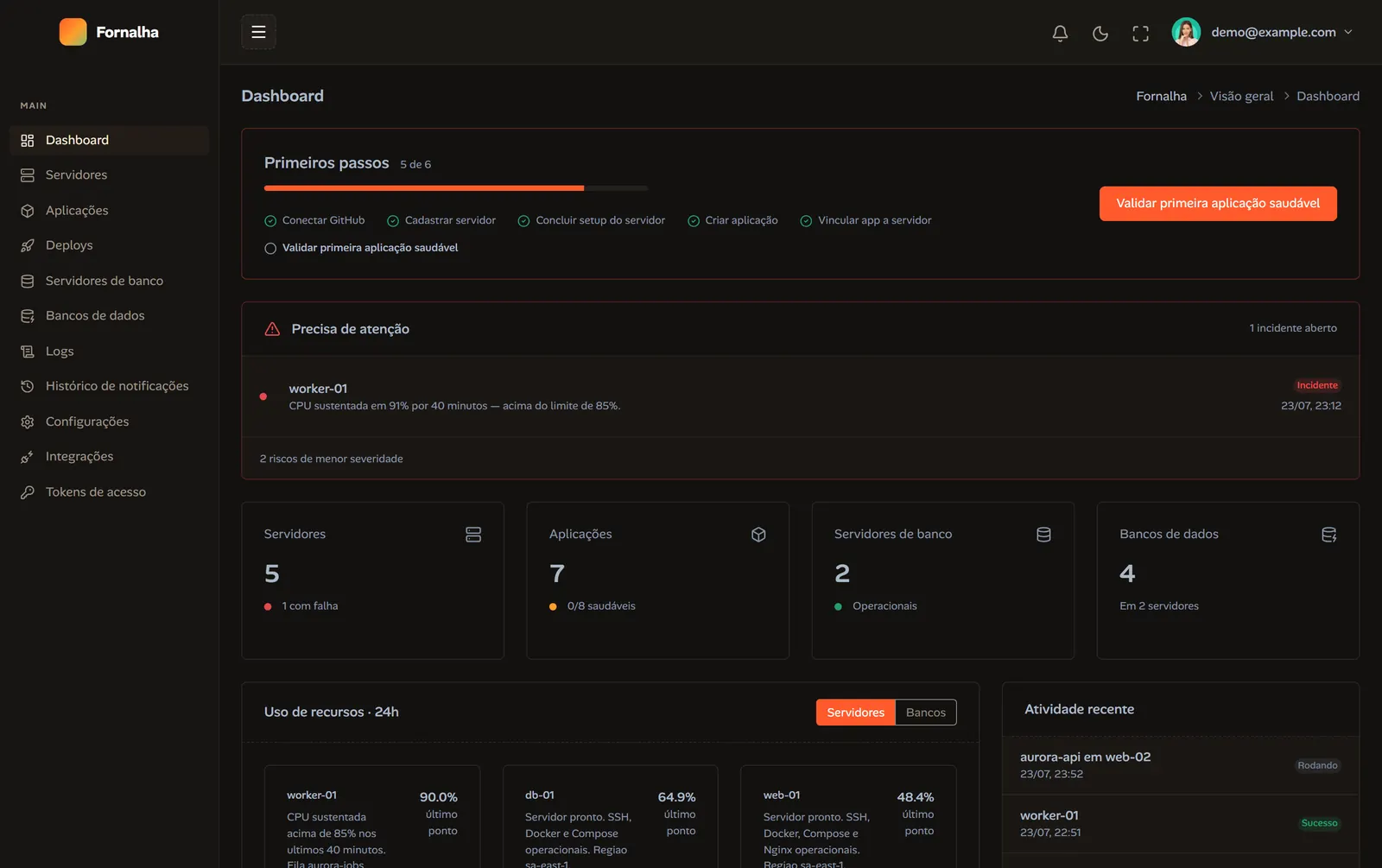
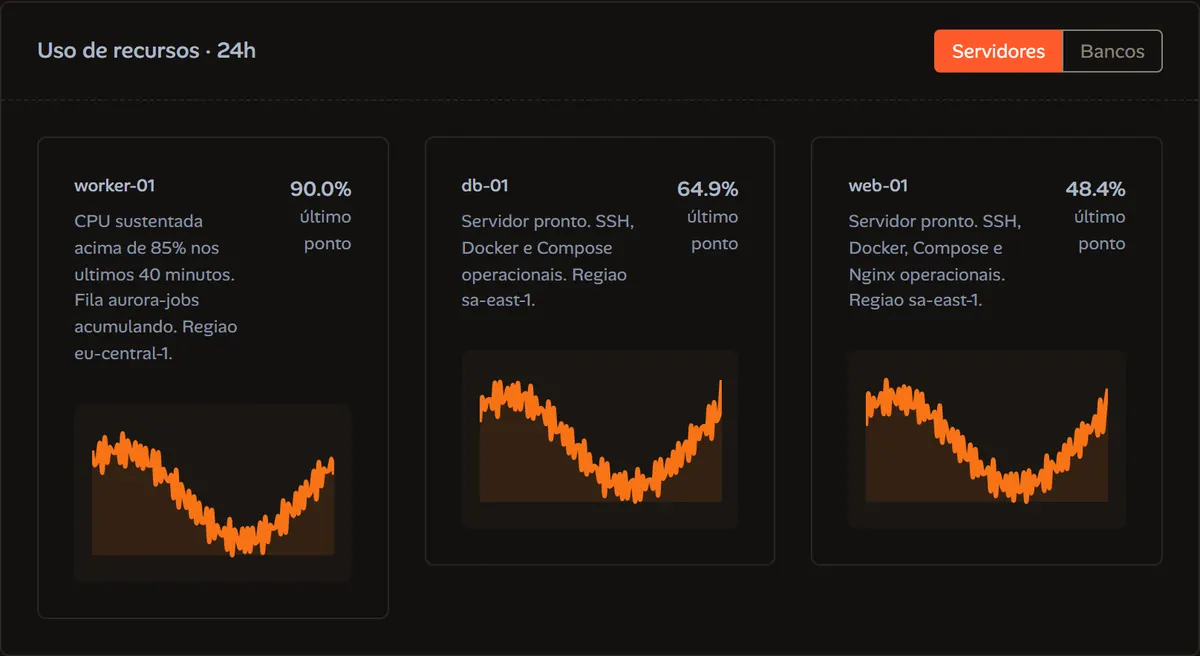
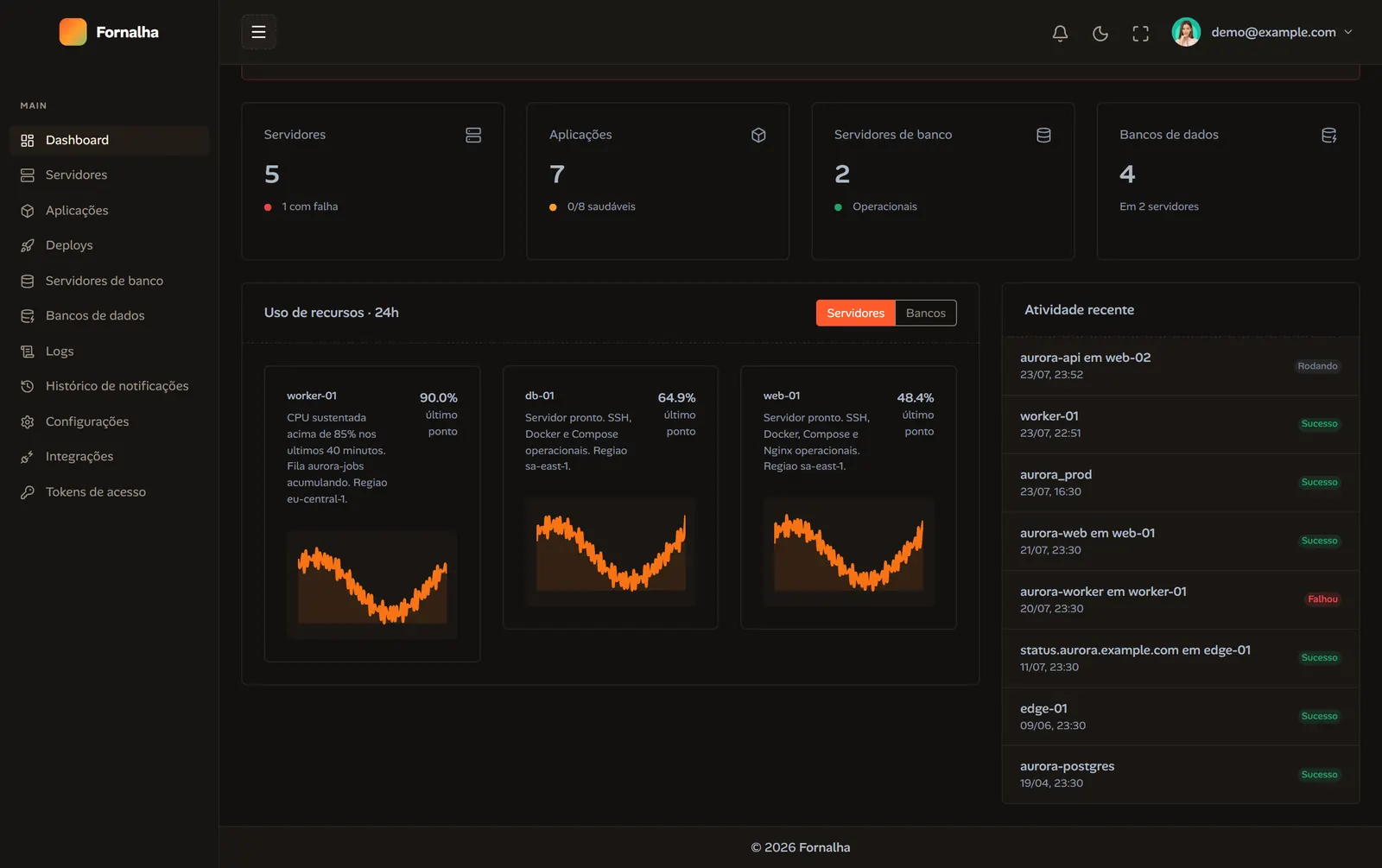
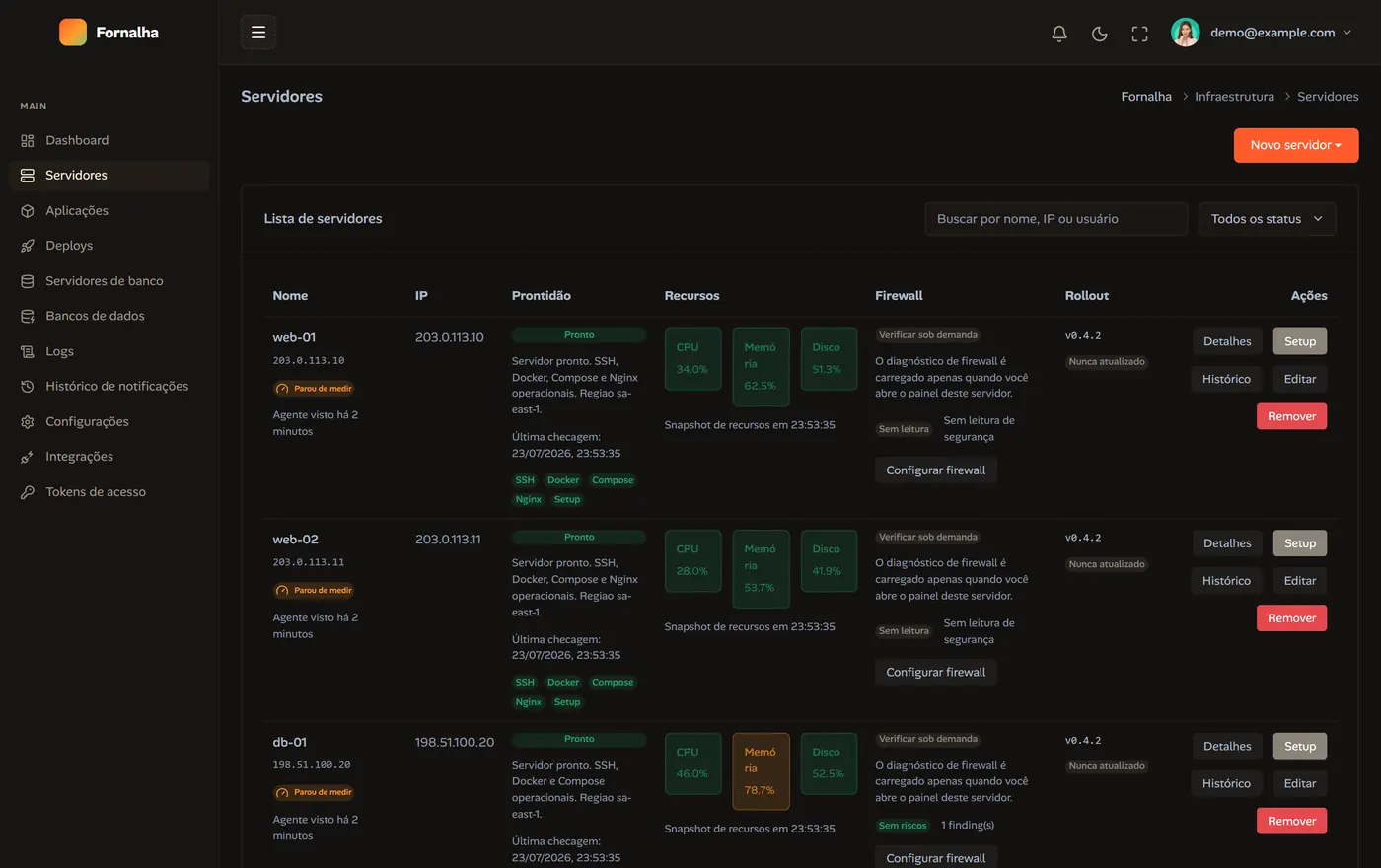
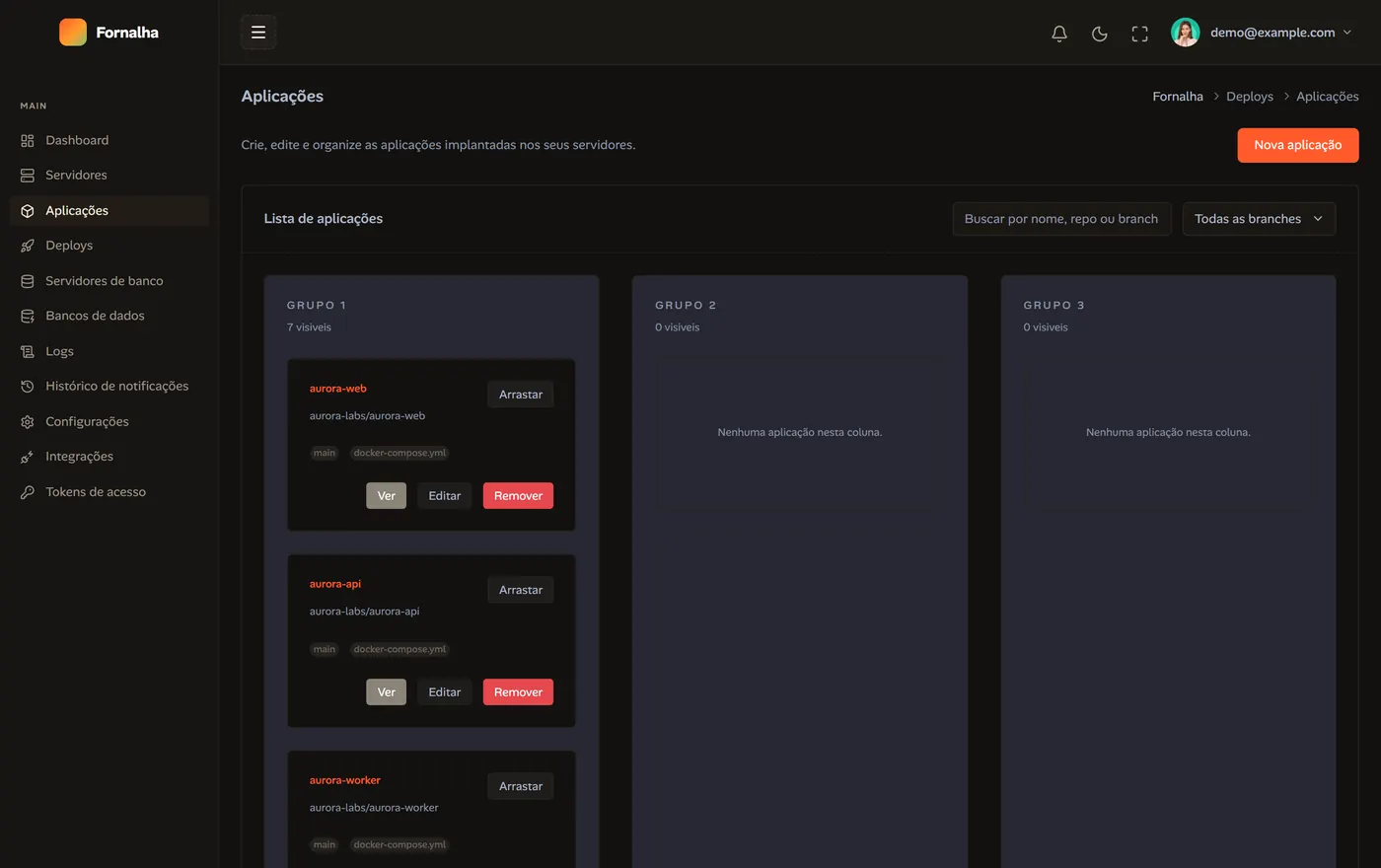
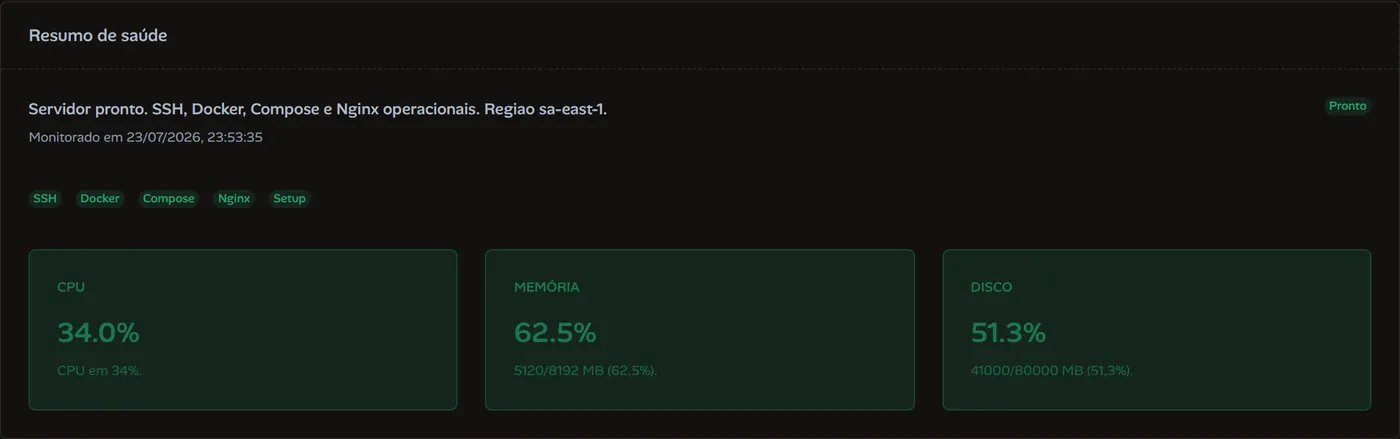
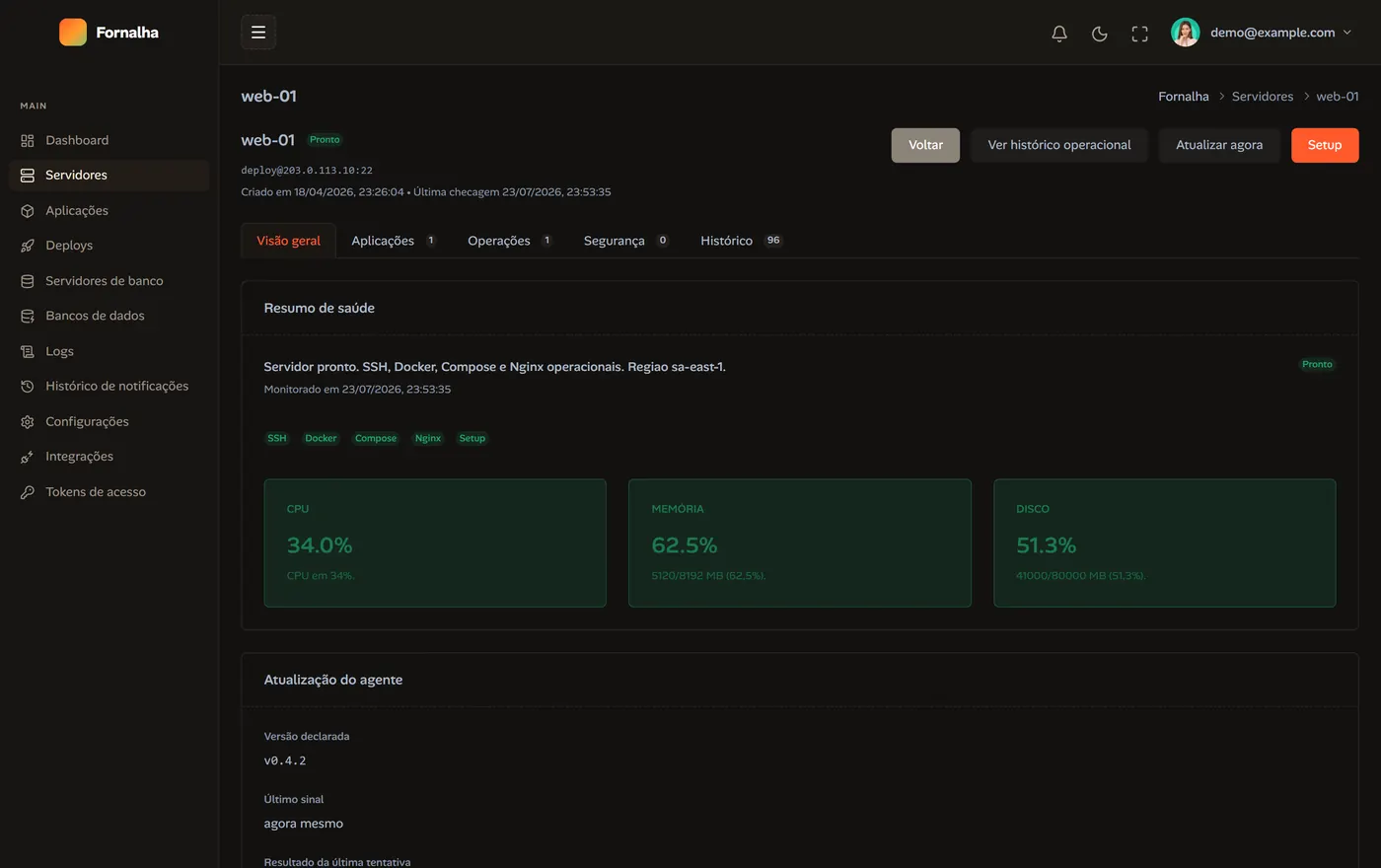
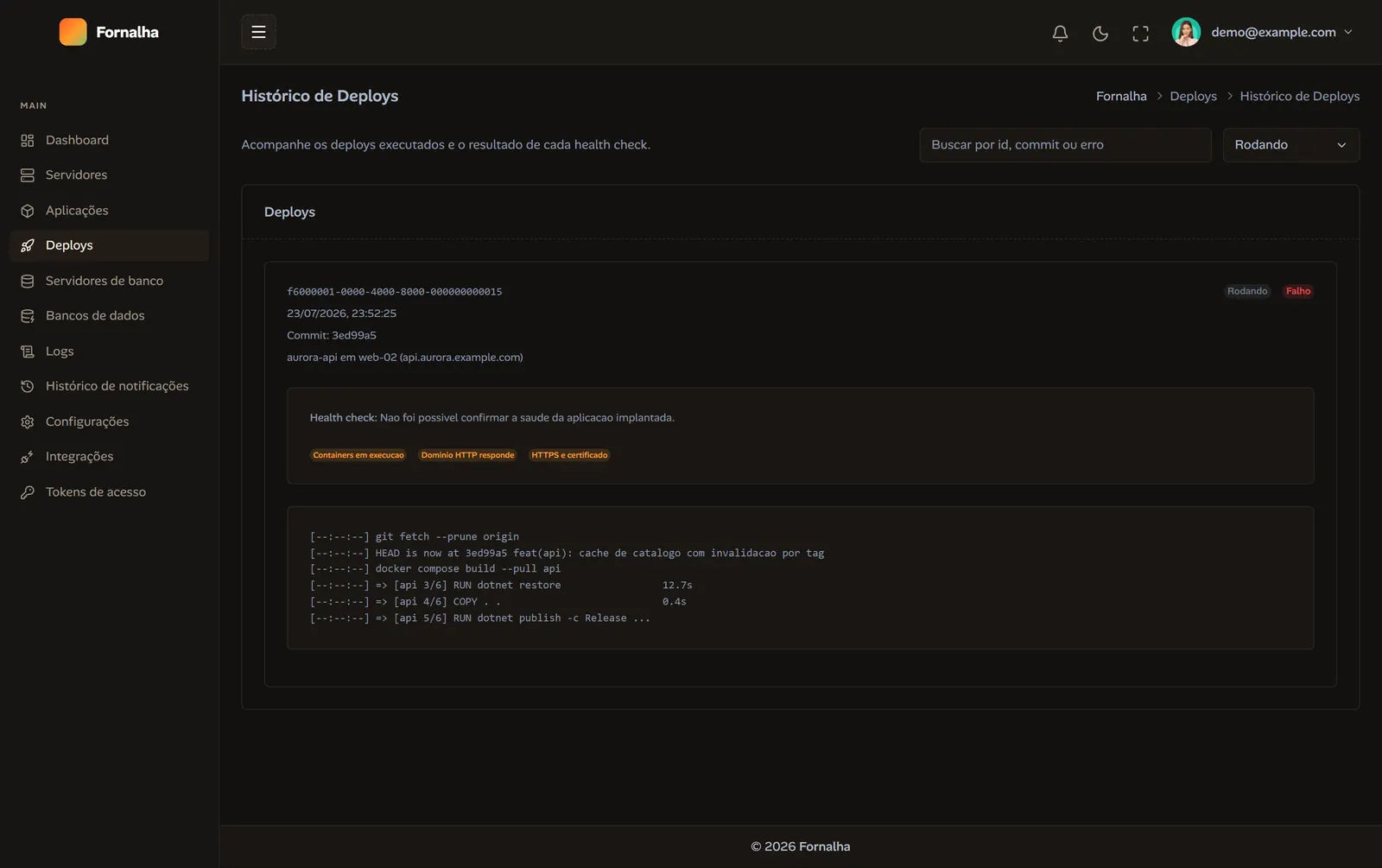
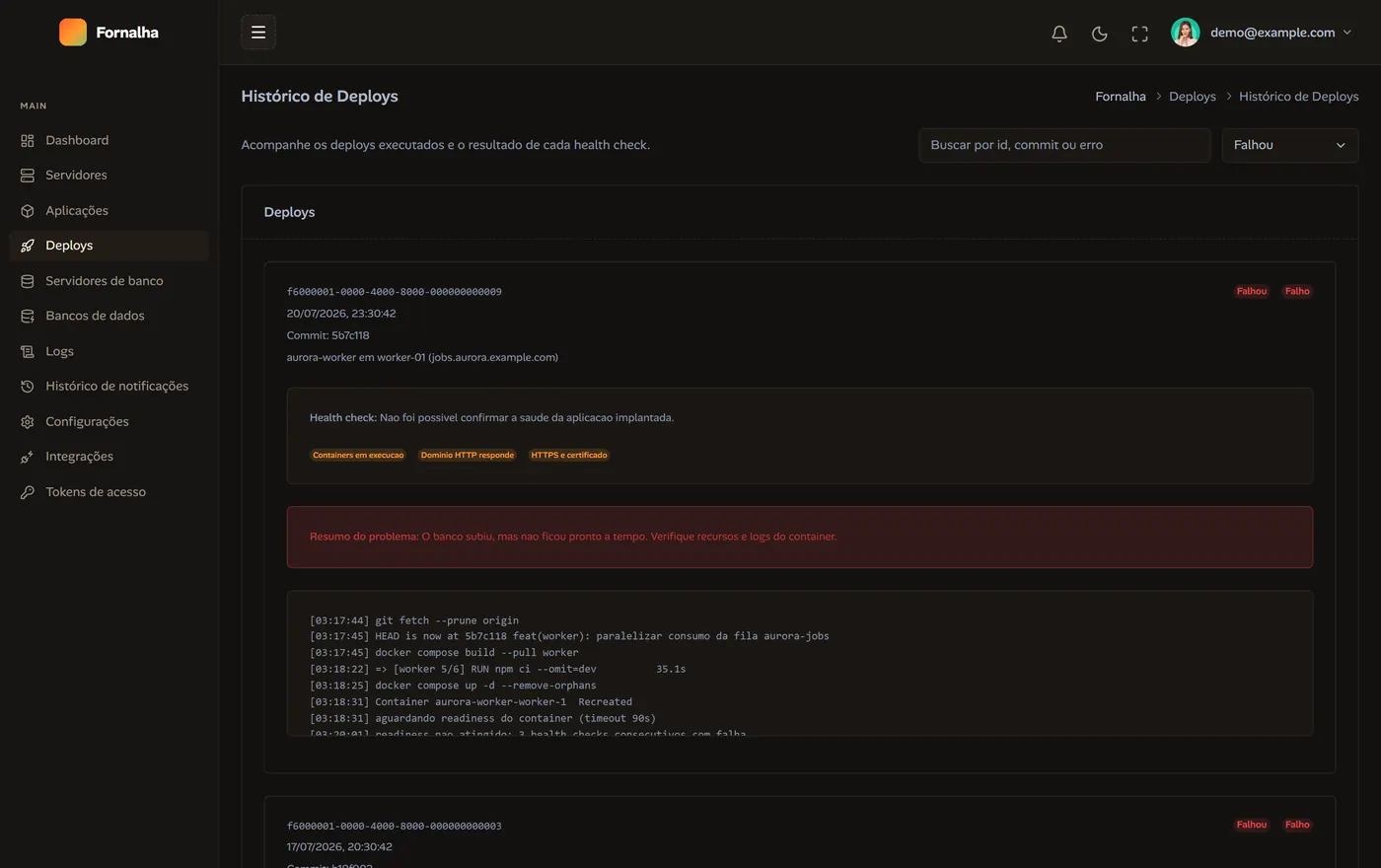
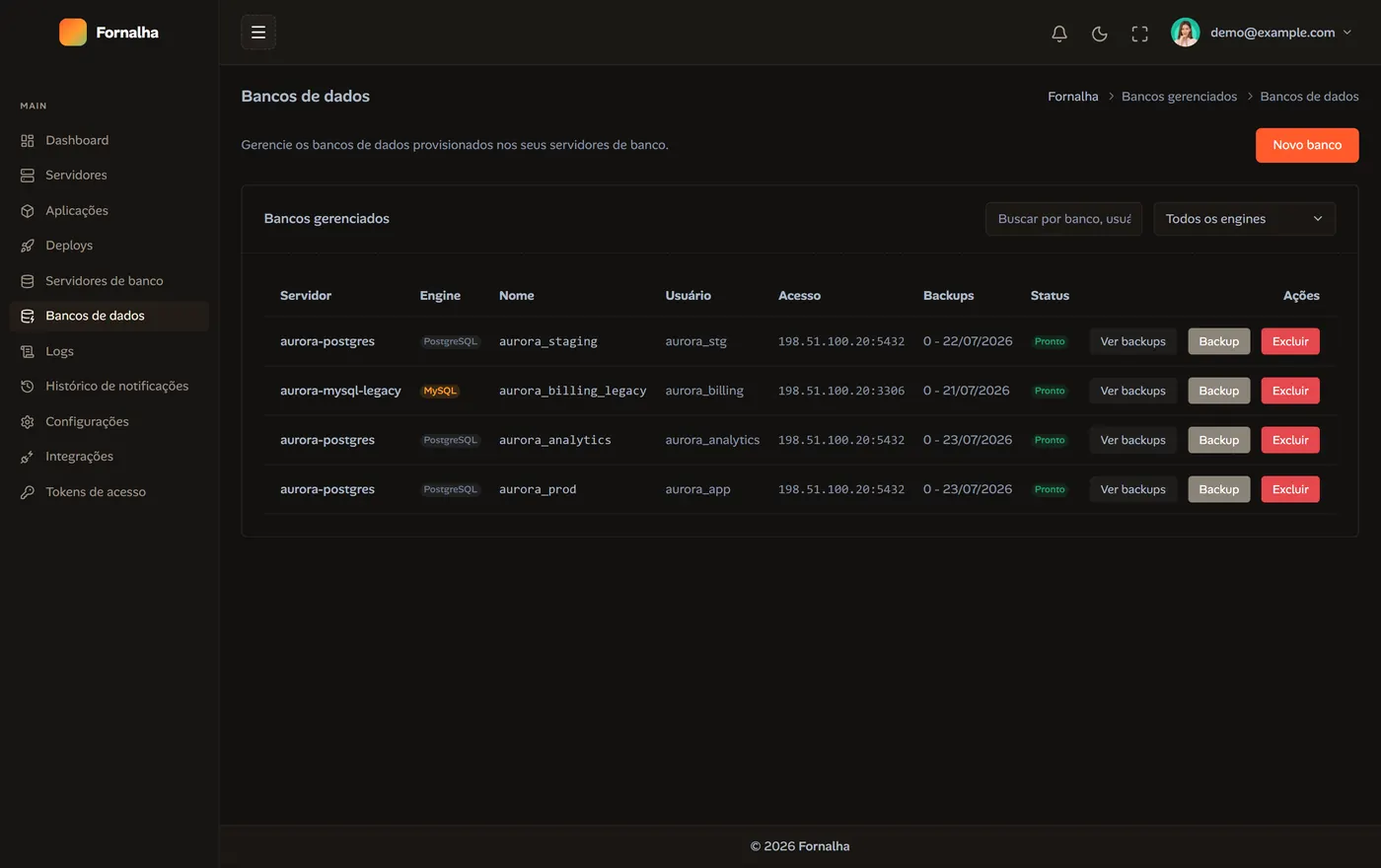
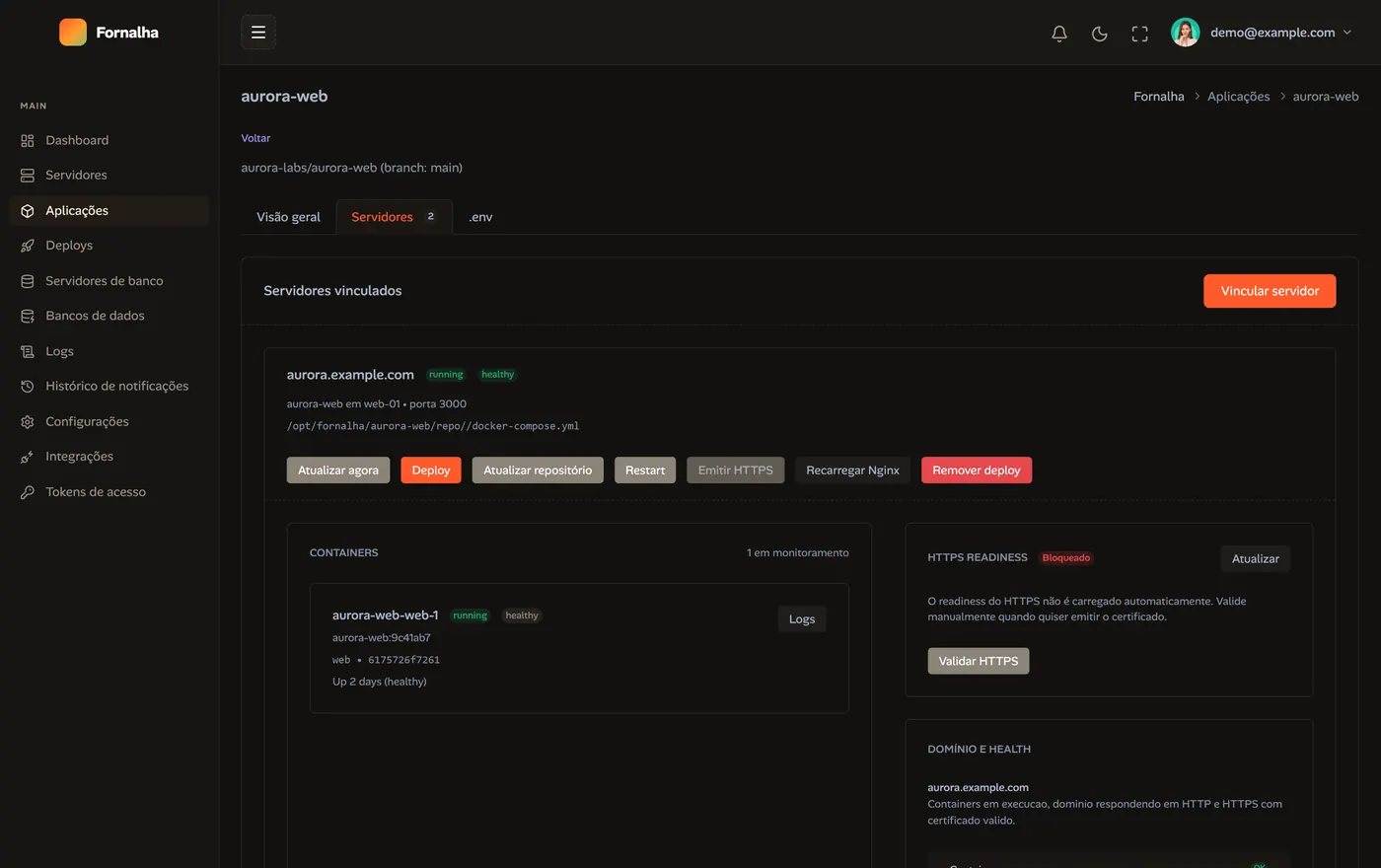
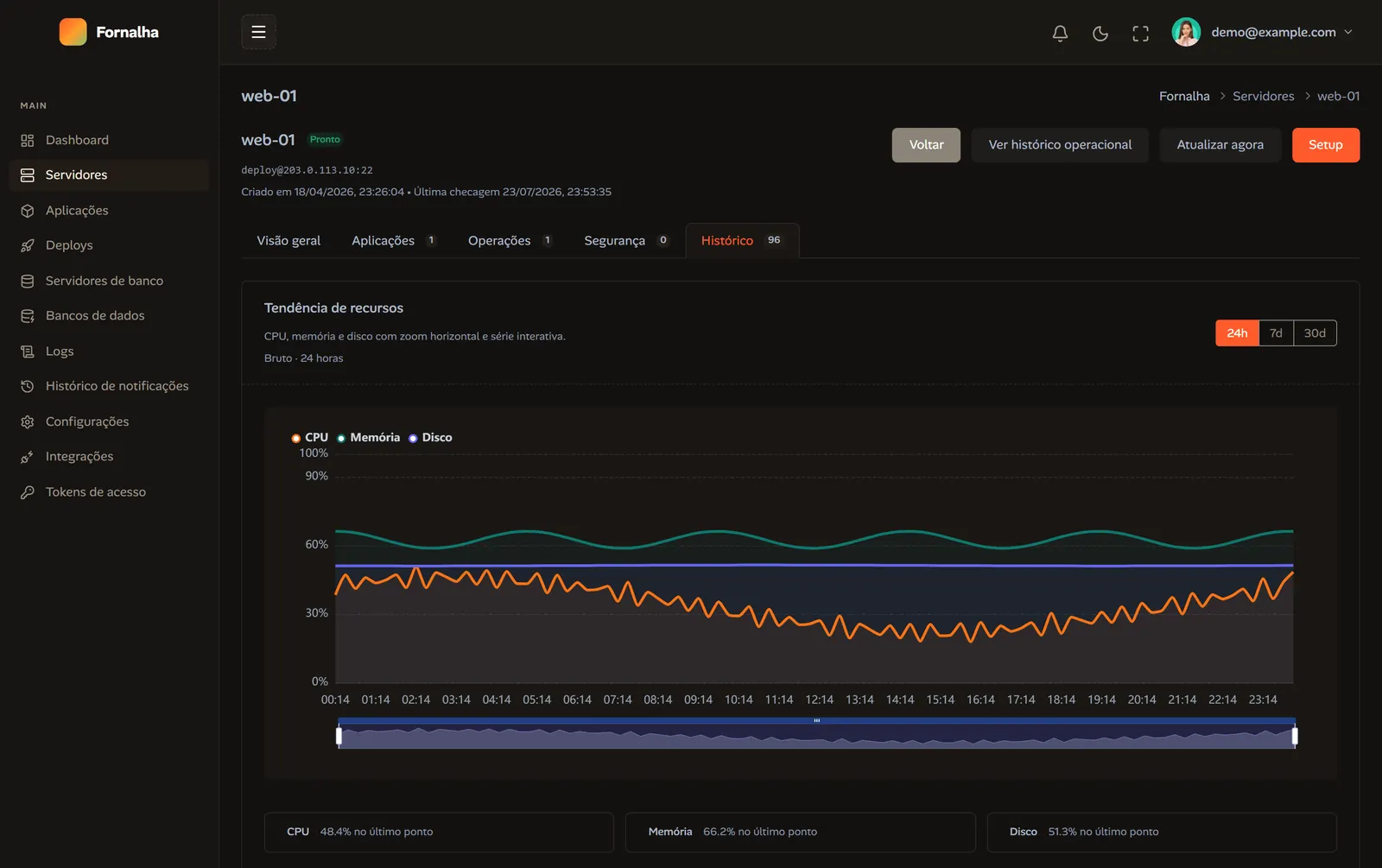
Real captures of Fornalha in operation, with demo data. Servers, applications, deploys, databases and metrics — one place, with persisted history.
// what it solves
Setup, deploy, databases and monitoring usually live in four different tools. Here they live in the same operational context — with persisted history.
Every deploy runs in the background with logs streamed per step, a health check at the end and full history. When it fails, you see exactly where.

Guided bootstrap over SSH, readiness checks, CPU, memory and disk watched closely — on your own hosts.
Reverse proxy generated per domain and Let's Encrypt certificates issued and renewed on their own. You point DNS; we handle the rest.
Ship PostgreSQL or MySQL stacks onto existing servers and manage databases, users and backups — manual or scheduled — from the panel.
Fornalha creates the repository webhook for you. Push to the right branch, HMAC signature verified, deploy fired.
Setup, deploys and long tasks keep running in the background — closing the browser cancels nothing, and orphaned operations recover themselves.
Resource history, incidents and container status in the same panel, with email or webhook alerts when something goes off the rails.
Exposure findings (open ports, exposed containers) show up in the panel with one-click blocking — firewall and certificates included.
// how it works
Register your hosts with SSH access and link your GitHub account. No migrating into somebody else's cloud.
Server bootstrap, database stacks and firewall with per-step logs — every step visible and auditable.
Deploy via git + Docker Compose with health checks, environment variables and an auto-deploy webhook.
Resources, incidents, live logs, backups and security findings — without switching consoles.
Fornalha hasn't opened yet. Join the list and get the word the day you can register your first host.
// questions
Not yet. We're closing in on launch. Join the list and you'll get one email the day it opens — nothing else.
No. Fornalha operates the hosts you already have — VPS, dedicated box or homelab machine. SSH access, Docker Compose deploys. If you ever leave, your containers keep running exactly as they are.
No. The target is precisely the people who don't want that layer: Docker Compose, Nginx and Let's Encrypt, with the control plane handling orchestration and history.
MCP (Model Context Protocol) is the standard that lets an AI agent call real tools. Fornalha exposes over 100 of them — deploy, logs, databases, firewall, monitoring. In practice: you ask for the deploy in plain English inside Claude Code and it runs, authenticated by a scoped personal token you control.
Through a scoped Personal Access Token. You decide which tools the token can reach and revoke it whenever you want — the agent never receives your SSH credentials.